
Digital Callipers
Gemred
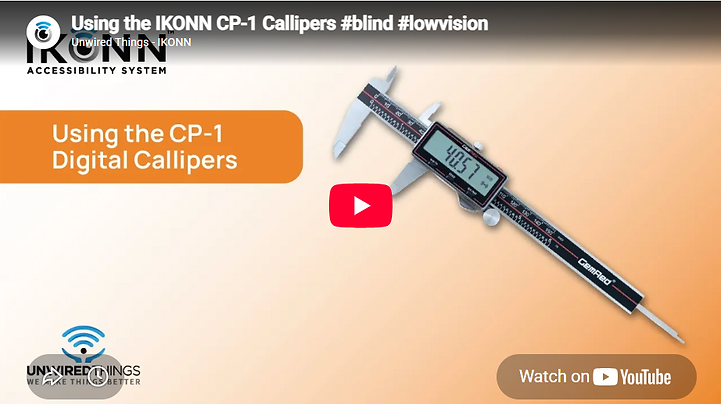
The CP-1 callipers from Gemred are built around a robust, high-quality stainless steel frame. The callipers support outer measurement of small and irregular objects, inner diameter measurement of holes as well as hole depth. These callipers are a fantastic addition to woodworking and home improvements and are fully compatible with the IKONN Controller and myIKONN App.
Features
150 mm
Range
0.01 mm /
0.005 inch
Precision
201
STAINLESS STEEL
Stainless steel frame
Inner/outer diameter measurement
Battery: CR2032 Lithium battery
Dimensions: 235 x 77.6 x 15.3 mm
Weight: 172 g

Additional benefits when paired with IKONN Controller or myIKONN app
Paired with the IKONN Controller or myIKONN app, visually impaired users can hear all measurements announced in their preferred language and are provided with the option of switchable millimeter/inch measurements.
Instructions
Using Callipers with IKONN Controller and the myIKONN App:
As with all IKONN products, the callipers feature the ability to connect with the IKONN Controller or myIKONN App which can provide audio feedback in your chosen language. The app also supports large-font display of values in real time for low-vision users who prefer this to audio.
To pair the callipers with your IKONN controller – select the Add product function of the IKONN Controller or myIKONN App. Ensure that wireless transmission on the calliperss is turned on before pairing. Holding the callipers in front of you with the raised battery box towards you and the larger jaws pointing downwards, the red data button is on the top surface of the battery box. Hold down the data button for approximately 5 seconds until the wireless transmission symbol shows on the screen. Use the help function on your controller/app or the manual for the controller if you are unsure how to do so.
You will hear an announcement, once the connection is established and the app or Controller will also state the name of the product that it has connected with. The callipers function will subsequently be available in your main product list. To use the callipers with IKONN, ensure they are switched on and select the appropriate function on the app or Controller. If the callipers data transmission has been switched off, it will not be able to connect. Turn it on, by holding the red data button for 3 seconds or more.


